Ko fi alternative and Ko-fi fees for creators who earn from recommendations
Most pages ranking for Ko-fi alternatives are written by a rival tip jar and stop at "5% versus 0%". We read Ko-fi's own pricing and Gold pages, worked out where the $12 a month plan starts to pay for itself, and added the processor charges Ko-fi passes through. The deciding question is whether your fans pay you directly or whether companies pay you when your audience buys something you recommended. A tip jar fits the first. It does nothing for the second.
The short answer
Ko-fi has two plans. Standard is $0 a month with a 5% service fee on tips, memberships, shop sales and commissions. Gold is $12 a month with a 0% service fee. Card processing from PayPal or Stripe comes on top either way. The best alternatives depend on income. Stan Store suits courses and downloads, Beacons a cheaper all in one page, and Favly creators paid in affiliate commission, which a tip page never touches.
Ko-fi plans and fees read on its own pricing and Gold pages (archived copy dated 30 October 2026), shown there in US dollars. Rival prices come from each vendor's own pricing page, with the date we read it · No commission fee
Read your post as your collection. This is a preview of the cards Favly builds. Your own links go on in the studio.

Curated by · affiliate links clearly labeled
Estimated monthly
from monetized favorites
Estimated and illustrative, not a guarantee. Real earnings depend on your audience and what fans buy.
At a glance
Ko-fi fees and the main alternatives in one table.
Rows marked OFFICIAL quote a vendor's own page on the date shown. Rows marked STRUCTURAL are arithmetic or reasoning that follows from the official figures, with the working shown. Prices are in USD.
| What you want to know | The answer | Detail |
|---|---|---|
| Ko-fi Standard plan | $0 a month, 5% service fee | OFFICIAL, ko-fi.com/pricing, archived copy dated 30 October 2026. The default for new creators, with the same 5% on tips, memberships, shop sales and commissions. |
| Ko-fi Gold | $12 a month, 0% service fee | OFFICIAL, ko-fi.com/gold, same archive date. A fixed monthly price instead of the percentage. |
| Ko-fi Free tips | 0% service fee on tips only | OFFICIAL, ko-fi.com/pricing. A free setting for simple tips, with 5% still charged on memberships, shop sales and commissions and no advanced features. |
| Payment processing | Paid to PayPal or Stripe on top | OFFICIAL. Ko-fi says normal payment processor fees also apply. Ko-fi does not hold your money, so you connect your own PayPal or Stripe account. |
| When Gold beats the 5% fee | About $240 a month of Ko-fi income | STRUCTURAL. $12 divided by 5% is $240. Below that, the percentage plan costs you less. Above it, Gold is cheaper, and each extra $100 of monthly income saves you $5. |
| What a $5 tip costs on Standard | $0.25 to Ko-fi, plus processor charges | STRUCTURAL. 5% of $5 is $0.25. If the processor charges the common US card rate of 2.9% + $0.30 ($0.445), you keep about $4.31. That processor rate is not set by Ko-fi, so check your own account. |
| Ko-fi fee on affiliate commission | None | STRUCTURAL. Amazon Associates, Impact, Awin, PartnerStack and direct software programs pay you from their own systems. That money never reaches Ko-fi, so no fee applies to it. |
| Stan Store | $300 or $948 a year | OFFICIAL, Stan owned pages, read 9 September 2026. Creator and Creator Pro on annual billing, 0% platform fee, no free plan, a 14 day trial. The closest swap for a course and download business. |
| Beacons | $0, $100, $300 or $1,000 a year | OFFICIAL, beacons.ai/i/plans, read 23 October 2026. Free and Creator carry a 9% fee on your own sales, Creator Plus and Creator Max drop it to 0%. |
| Fourthwall | Free, or $15 a month billed yearly | OFFICIAL, fourthwall.com/pricing, read 29 October 2026. A 5% fee on digital products and memberships on Free, none on digital products on Pro. |
| Favly Pro | $288 a year ($24 a month billed yearly) | OFFICIAL, favly.com/pricing. No fee on affiliate commission on any plan. Imports each program's commission report and matches it to the link that earned. No tip jar, product checkout or membership billing. |
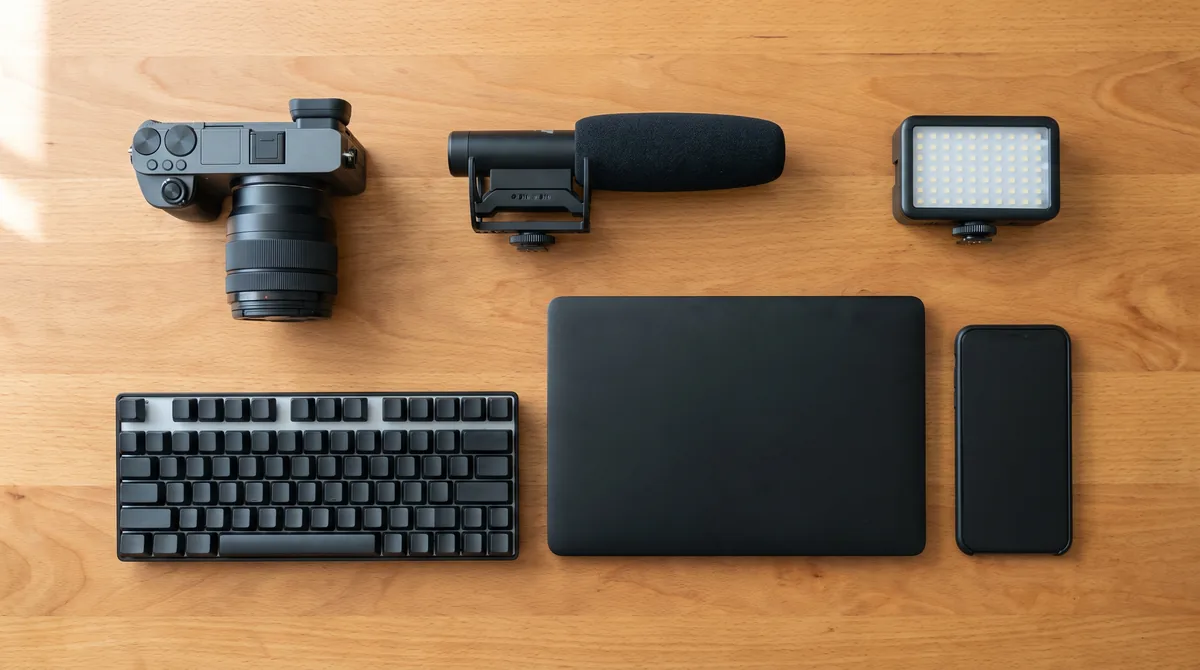
what you are really paying for
Ko-fi is built for fans who want to pay you. Check whether that is your income.
Ko-fi takes tips, memberships, shop sales and commissions, and you connect your own PayPal or Stripe account so the money goes to you directly. A creator who reviews cameras, AI apps or editing software earns mostly from commission paid by other companies, and none of that flows through a Ko-fi page. The platform is fair for what it does. The question is whether it touches your main income at all.
What to check before you switch
What a Ko-fi alternative has to do better for a creator paid in commission.
Sort last year's income by source
Open your Ko-fi dashboard and every affiliate dashboard you use, and put the totals side by side. If most of the money came from supporters and members, you are pricing a tip jar and the fair comparison is Buy Me a Coffee, Patreon and Stan Store. If most came from commission on gear, software and AI tools, you are pricing something else.
Work out whether Gold or the percentage fits
Gold at $12 a month only wins above about $240 a month of Ko-fi income. A creator who makes $60 a month from tips pays $3 on Standard, so Gold would cost four times as much. Do this sum before assuming a flat plan is the cheaper one.
Know which link earned, not which link was tapped
A tip page cannot see what happens on a merchant's site. An affiliate sale is recorded in the merchant's system, often days later. No page can show which recommendation paid unless it imports the program's report. That import is what lets you move earners to the top and cut links that get tapped and never pay.
Treat software and AI tools as a separate shelf
A tripod pays once and usually at a low single digit rate. Many software and AI partner programs pay a share of the subscription for every month the customer stays. At a 20% to 30% recurring rate on a $30 a month plan, one referral who stays a year pays $72 to $108. A page that cannot tell those links apart from the tripod hides your best earners.
Keep your links working through the move
Update your Instagram, TikTok and YouTube bios first, then the descriptions on your most watched videos. Keep the Ko-fi page live while supporters still use it, and link to it from the new page.
Switch without losing taps
How to add an affiliate storefront next to Ko-fi in four steps.
Export what earned in the last 12 months
Pull the products and plans that paid commission from Amazon Associates, your software partner programs and any brand programs. Add the things you recommend that you have never been paid for, because those are the links to fix first.
Keep Ko-fi for what fans pay you directly
Tips, memberships and commissions work well there. Leave them in place and link to them from the new page rather than moving fans around.
Build collections and tag every link
Create your storefront at favly.com/@you and group recommendations into collections such as camera, desk, editing and AI tools. Put the Favly tag in each program's sub ID or tracking field, so each commission row can be matched to the link that sent the buyer.
Move the bio link, then read the first report
Swap the link in your bios, then wait for the first full payout cycle. The report shows which collection and which link earned, which is information a tip page cannot give you about outside programs.
If it is not a fit
If your fans pay you directly, stay on Ko-fi.
This page is not going to talk you out of a tool that fits. If your income is supporters, tips, memberships and art commissions, Ko-fi does that job simply, with a free setting for tips and no lock in on how you get paid. Favly does none of that. It is for creators who recommend other companies' products and want every link, collection and commission report in one storefront. Many creators run both, with Ko-fi for fan support and Favly for what they recommend.
What Favly does differently
- ✓ No follower gate and no application queue. Claim favly.com/@you and start today.
- ✓ Built for the AI tools, SaaS and tech gear you already recommend.
- ✓ Recurring commissions: subscription tools can pay every month a fan stays subscribed.
- ✓ Affiliate income and brand deals in one storefront, with #ad disclosure by default.
Side by side
Ko-fi and Favly Pro side by side, including where Ko-fi wins.
This table sets Ko-fi against Favly Pro, because those are what a creator who both gets tips and earns commission is actually choosing between. Ko-fi figures come from its pricing and Gold pages, archived on 30 October 2026. Check the live pages before you commit, since fees change.
| Capability | Favly | Ko-fi | Notes |
|---|---|---|---|
| Price billed yearly | $288 a year (Pro) | $0, or $144 a year for Gold | OFFICIAL. 5% service fee on Standard, 0% on Gold |
| Free to start | × | OFFICIAL. A genuine Ko-fi strength | |
| Accept tips and memberships | × | Its core purpose | |
| Fee on affiliate commission | None | None | STRUCTURAL. The merchant pays you directly, never through the page |
| Commission reports matched to each link | × | Not part of Ko-fi | |
| Priority recurring SaaS and AI programs | × | Ko-fi is built around fan payments | |
| Collections of recommended products | × | It has a shop for your own items | |
| Get paid straight to your own account | Not applicable | OFFICIAL. Ko-fi says it never holds your money |
FAQ
Questions creators ask about Ko-fi and what to use instead.
What is the best alternative to Ko-fi?
It depends on where your money comes from. For fan tips, Buy Me a Coffee is the closest swap. For courses and downloads, Stan Store. For a cheaper all in one page, Beacons. For creators paid mostly in affiliate commission, Favly, because a tip page does not touch that income.
How much does Ko-fi take?
On the Standard plan Ko-fi takes a 5% service fee on tips, memberships, shop sales and commissions, with no monthly charge. Gold costs $12 a month and takes 0%. Normal PayPal or Stripe processing fees apply either way, per Ko-fi's pricing pages archived on 30 October 2026.
Is Ko-fi free?
Yes to start. Creating a page costs nothing and tips can carry a 0% service fee on the free setting. Memberships, shop sales and commissions then carry the 5% fee unless you pay for Gold. Processor charges from PayPal or Stripe still come out of each payment.
Is Ko-fi Gold worth it?
Only above about $240 a month of Ko-fi income, because $12 equals 5% of $240. At $100 a month you would pay $5 on the percentage plan and $12 on Gold. Gold also unlocks extra tools, so check whether you need those before deciding on price alone.
Does Ko-fi take a percentage of affiliate commission?
No. Affiliate commission is paid to you by the merchant or network, not through a Ko-fi payment, so its fees do not apply. The commission you earn on gear, software and AI tools stays whole.
Is Ko-fi good for affiliate marketing?
Only as a place to put a link. It is built for supporter payments, so it has no commission import or per link earnings. A creator paid mostly in affiliate commission gets more from a page that matches each payout to the link that earned.
What are sites like Ko-fi?
Sites like Ko-fi fall into three groups. Fan support tools, such as Buy Me a Coffee and Patreon. Creator shops with checkout, such as Stan Store, Beacons and Fourthwall. And affiliate storefronts, such as Favly, ShopMy and LTK, which are built around earning commission on products other companies sell.
Go deeper
Ko-fi publishes its plans on its own pricing page, and they are worth reading before you compare. If you want the other big tip jar priced the same way, our Buy Me a Coffee alternative page works out what a $5 tip and a $50 membership leave you.
If you also sell a product, Stan Store alternatives prices each creator shop from its own page, Fourthwall alternatives works out when its Pro plan pays for itself, and Beacons alternatives sorts the field by whether you sell products or earn commission.
If your income is commission, an affiliate link in bio shows how a commission first page differs from a list of buttons, and SaaS affiliate programs and recurring affiliate programs cover the programs worth putting on it. Best creator commerce platforms explains why tip jars, shops and recommendation storefronts are different businesses.
Creators who also pitch brands directly sometimes lean on automated outbound email follow ups to keep sponsor conversations moving between videos.
Every storefront, link page and program, and who each one is built for
No application. No follower gate.
Claim your favly.com/@you storefront and turn the AI tools, software and gear you already recommend into affiliate commissions and brand deals.