Milkshake alternative and Milkshake app alternatives for creators who earn from affiliate links
Most pages ranking for a Milkshake alternative are written by another link in bio vendor, or they are directory lists with no prices. We read Milkshake's own pricing page on the day this was written, kept what Milkshake publishes apart from what others repeat, and asked the question that actually decides a switch: does your money come from files you sell on the page, or from commission on things you recommend? Milkshake is good and inexpensive at the first. This page is for creators who live on the second.
The short answer
Milkshake is a cheap, phone-first link in bio website: Free costs nothing, Lite is $2.99 a month, Pro is $59.99 a year and Pro+ is $99.99 a year, all billed through the App Store or Google Play. Paid plans add branding removal, a year of analytics, a mailing list and a custom domain, and they lower the fee Milkshake takes on things you sell from 12% to 9% or 7%. None of that reaches affiliate income, because commission is paid by the merchant and never passes through the page. If most of what you earn is commission on tools and gear you recommend, the better Milkshake alternative is a storefront that shows which link earned. Favly Pro does that for $288 a year.
Milkshake plans, prices and selling fees read on milkshake.app/pricing on 19 October 2026, shown there in US dollars · No commission fee
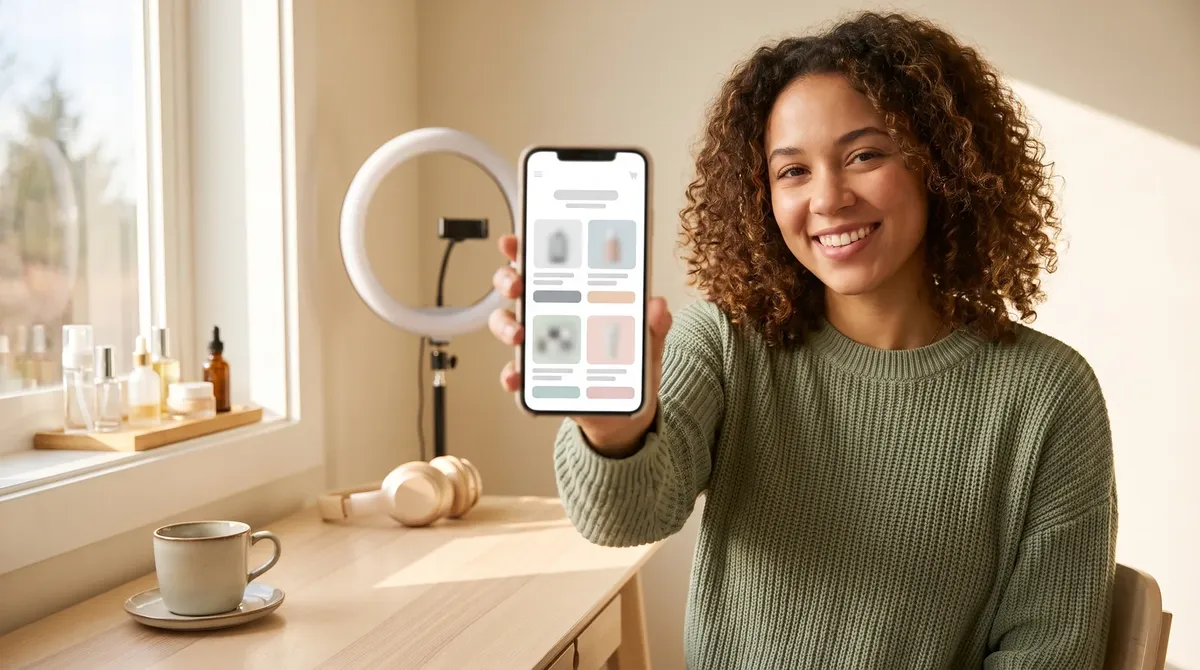
Read your post as your collection. This is a preview of the cards Favly builds. Your own links go on in the studio.
Curated by · affiliate links clearly labeled
Estimated monthly
from monetized favorites
$
Estimated and illustrative, not a guarantee. Real earnings depend on your audience and what fans buy.
At a glance
Milkshake plans, fees and alternatives in one table.
Rows marked OFFICIAL quote milkshake.app/pricing or favly.com/pricing, both read on 19 October 2026. STRUCTURAL rows are arithmetic or reasoning that follows from those facts, with the working shown.
| What you want to know | The answer | Detail |
|---|---|---|
| Milkshake Free price | $0, no card | OFFICIAL. Unlimited links and Cards, templates, color and font customization, social icons, a QR code, 30 days of Insights analytics, free hosting and selling digital files through Stripe. |
| Milkshake Lite price | $2.99 a month | OFFICIAL. Billed monthly. Lite does one thing: it removes the Milkshake branding. |
| Milkshake Pro price | $59.99 a year, or $6.99 monthly | OFFICIAL. $5.00 a month on yearly billing. Adds 365 days of Insights with export, a contact form, a mailing list synced to Google Sheets or Mailchimp, Meta pixel, SEO title and description, a sharing image and a UTM campaign builder. |
| Milkshake Pro+ price | $99.99 a year, or $29.99 a quarter | OFFICIAL. $8.33 a month on yearly billing, $10.00 a month on quarterly. Adds a custom domain and Google Analytics, and the lowest selling fee. |
| Milkshake selling fee | 12%, 9% or 7% | OFFICIAL. 12% on Free and Lite, 9% on Pro and 7% on Pro+, plus the payment processor's standard fee. It is charged on sales made through the Sell Card. |
| Does the selling fee touch affiliate income | No | STRUCTURAL. Affiliate commission is calculated and paid by the merchant's program and never passes through Milkshake, so no Milkshake fee applies to it, on any plan. |
| When the fee cut pays for Pro | About $2,000 a year of own sales | STRUCTURAL. Pro drops the fee 3 points for $59.99 a year, and Pro+ drops it 5 points for $99.99. Either way the plan pays for itself on fees only after roughly $2,000 a year of your own product sales. |
| How you pay Milkshake | App Store or Google Play | OFFICIAL. Subscriptions are handled through Apple or Google, and you cancel in your phone's store settings. Milkshake notes prices may vary by country and platform. |
| Free trial of paid plans | None | OFFICIAL. Milkshake's FAQ says there is no free trial, and points to the free plan instead. |
| Commission per affiliate link | Not listed by Milkshake | OFFICIAL, by absence. Milkshake lists views, taps and link clicks in Insights. It does not list importing affiliate program reports or matching commission to a link. |
| Favly Pro price | $288 a year ($24 a month billed yearly) | OFFICIAL, favly.com/pricing. No fee on your affiliate commissions on any plan. One free demo storefront to try it first, no card. |
| Earnings per link on Favly | Pro, from your program reports | OFFICIAL, favly.com/pricing. Revenue attribution imports each program's commission report and matches rows to the link that earned them. |
| Selling your own files on Favly | Not a Favly feature | Honest limit. Favly has no product checkout or contact form. If your income is digital downloads, Milkshake does that for far less money. |
what you are really choosing
A pretty phone site routes taps. A storefront tells you which tap paid.
Milkshake built its name on swipeable Cards you design with your thumbs, and it does that very well. For a creator selling a preset pack or showing a portfolio, a good-looking mini site is the whole job. A creator who reviews cameras, AI apps or desk gear earns differently. The money is commission from somebody else's affiliate program, often days after the tap, and the page that sent the buyer never sees the sale. How the page looks matters less than knowing which recommendation earned.
What to check before you switch
What a Milkshake alternative has to do better for an affiliate creator.
Price the income, not the page
Milkshake wins any contest about the cost of the page, since $99.99 a year buys a custom domain and a year of analytics. That is the wrong contest for an affiliate creator. Add up last year's income by source. If commission is the biggest pile, the question is which tool helps that pile grow, and a cheaper page cannot do that by itself.
Know which link earned, not which link was tapped
Milkshake Insights tells you what people tapped, and Pro lets you export a year of it. It cannot tell you what paid, because an affiliate sale is recorded inside the merchant's program, often days later. Commission per link needs each program's report matched back to the link that sent the buyer. That is what tells you which recommendation to move up and which to drop.
Treat software and AI tools as products, not buttons
A tripod pays once. Many software and AI partner programs pay a share of the subscription every month the referred customer stays. A creator who recommends editing apps, AI writing tools or hosting can earn more from a handful of software referrals than from a page of retail links, so the page should present those tools with a reason to buy.
Ignore the selling-fee ladder if you do not sell
Most Milkshake upgrade advice is about cutting the selling fee from 12% to 7%. That only matters for files you sell on the page. If your Sell Card is empty, every point of that ladder is worth $0 to you, and the honest reason to upgrade is branding, analytics or the domain.
Keep your bio link on a domain you own
Milkshake Pro+ and Favly Pro both put your own domain in front of the page. Use it on whichever you pick. A link printed in years of bios and video descriptions that sits on your own domain survives every future change of tool.
Price the switch against what your links earned
Favly Pro costs $288 a year against $99.99 for Milkshake Pro+, so it has to earn a gap of about $188. It does that only if seeing commission per link changes what you recommend. At a typical 20% to 30% recurring rate on a $30 a month software plan, one referral who stays a year pays $72 to $108, so two or three retained referrals cover the gap. If it would not change anything, stay on Milkshake.
Switch without losing taps
How to move from Milkshake to an affiliate storefront in four steps.
List what earned in the last 12 months
Open every affiliate dashboard you use, Amazon Associates, brand programs and software partners, and export the products or plans that paid commission. Add the things you still recommend that never sold. That list, sorted by money, is your new storefront.
Build collections and tag every link
Create your storefront at favly.com/@you and group recommendations into collections such as camera, desk, AI tools and editing. Put the Favly tag in each program's sub ID or tracking field, so each commission row can be matched to the link that earned it.
Move your domain or update your bio
If your Milkshake site sat on your own domain on Pro+, point that domain at the new storefront on Pro and every printed link keeps working. If it sat on a Milkshake address, update the link in your Instagram, TikTok and YouTube bios first, since that is where most of the taps come from.
Keep Milkshake for downloads if you sell them
Nothing stops you running both. A creator who sells presets or wallpapers can keep that on a Milkshake Sell Card and link to it from the storefront, while the affiliate recommendations live where their commission is tracked. Then cancel any Milkshake plan you no longer need from your App Store or Google Play subscriptions.
If it is not a fit
If you sell files or want a phone-built portfolio, stay on Milkshake.
This page is not going to talk you out of a tool that fits. If your income is presets, wallpapers, templates or other files sold from your bio, Milkshake lets you sell on every plan, and Pro+ brings the fee down to 7% for $99.99 a year, about a third of Favly Pro. Favly has no product checkout at all. If you mainly want a good-looking site you can build on your phone, Milkshake's Cards are the reason it is popular, and the free plan allows unlimited links. Favly earns its $288 a year only when affiliate commission, especially recurring software commission, is your main income and you want to see which link earned it.
What Favly does differently
- ✓ No follower gate and no application queue. Claim favly.com/@you and start today.
- ✓ Built for the AI tools, SaaS and tech gear you already recommend.
- ✓ Recurring commissions: subscription tools can pay every month a fan stays subscribed.
- ✓ Affiliate income and brand deals in one storefront, with #ad disclosure by default.
Side by side
Milkshake and Favly side by side, including where Milkshake wins.
This table sets Milkshake Pro+ against Favly Pro, because that is the paid decision a creator with a Milkshake site is actually making. Milkshake figures come from milkshake.app/pricing, read on 19 October 2026. Where Milkshake wins, the table says so.
| Capability | Favly | Milkshake | Notes |
|---|---|---|---|
| Price billed yearly | $288 a year (Pro) | $99.99 a year (Pro+) | OFFICIAL. $8.33 a month on yearly billing |
| Free plan | One free demo storefront | Free, unlimited links | OFFICIAL. 30 days of Insights on Free |
| Where you pay | Card, monthly or yearly | App Store or Google Play | OFFICIAL. Cancel in your phone store settings |
| Sell your own files | × | Every plan, at a 12%, 9% or 7% fee. A genuine Milkshake strength | |
| Contact form and mailing list | Email and deal-alert capture | OFFICIAL. Pro and Pro+ | |
| Fee on affiliate commission | None | None | STRUCTURAL. Commission is paid by the merchant, never through the page |
| Commission reports matched to each link | × | Not listed on Milkshake's pricing page | |
| Priority recurring SaaS and AI programs | × | Milkshake does not list affiliate program sourcing | |
| Brand deals | AI and SaaS brand marketplace | × | Not listed on Milkshake's pricing page |
| Custom domain | OFFICIAL. Pro+ only | ||
| Free trial of paid features | One free demo storefront | × | OFFICIAL. Milkshake FAQ, no free trial |
FAQ
Questions creators ask about Milkshake and what to use instead.
What is the best Milkshake app alternative?
It depends on where your money comes from. For creators who sell files or courses, Stan Store or Beacons are the closest swaps, though both cost more. For a cheaper plain page, Taplink and Lnk Bio are the usual picks. For creators whose income is affiliate commission on tools and gear, a storefront that reports earnings per link fits better. Favly Pro does that for $288 a year.
How much does the Milkshake app cost?
Milkshake Free costs nothing. Lite is $2.99 a month, Pro is $59.99 a year or $6.99 monthly, and Pro+ is $99.99 a year or $29.99 a quarter, according to milkshake.app/pricing on 19 October 2026. Milkshake bills through the App Store or Google Play and says prices may vary by country and platform.
Is Milkshake app free?
Yes. Milkshake's free plan lets you create, publish and share a site with unlimited links and Cards, templates, a QR code, 30 days of analytics and free hosting, with no card. You can even sell files on Free, at a 12% fee. Paid plans add branding removal, longer analytics, a mailing list and a custom domain.
Does Milkshake take a percentage of sales?
Yes, on sales made through its Sell Card. Milkshake takes 12% on Free and Lite, 9% on Pro and 7% on Pro+, plus the payment processor's standard fee. It takes nothing from affiliate commission, because the merchant's program pays that directly and it never passes through Milkshake.
Can you put affiliate links on Milkshake?
Yes. Every Milkshake plan allows unlimited links, and affiliate links are just links. What Milkshake does not list is matching each program's commission report to the link that earned it, so you see taps in Insights and money in each affiliate dashboard, separately.
Is Milkshake better than Linktree?
Milkshake is cheaper at the top end, with a custom domain on Pro+ for $99.99 a year, and its swipeable Cards look more like a small website. Linktree has the bigger template library and the more familiar brand. For affiliate income specifically, neither one reports commission per link.
Can I use my own domain on Milkshake?
Yes, on Pro+ only, which costs $99.99 a year or $29.99 a quarter. Pro and Lite stay on a Milkshake address. Favly Pro also includes a custom domain. Whichever you choose, a bio link on a domain you own keeps working if you ever change tools.
How do I cancel my Milkshake subscription?
Cancel it in your iPhone subscription settings or your Google Play account, because Milkshake bills through the app stores rather than directly. Its FAQ says you keep paid features until the end of the billing period, and your site stays live on the free plan with your content intact.
What are apps like Milkshake?
Apps like Milkshake fall into three groups. Link in bio pages such as Linktree, Taplink and Lnk Bio. Creator shops with checkout such as Stan Store, Beacons and Komi. And affiliate storefronts such as Favly, ShopMy and LTK, which are built around commission on products you recommend rather than products you sell.
Is Milkshake Pro worth it?
Only for the features, not the fee cut, unless you sell a lot. Pro drops the selling fee from 12% to 9% for $59.99 a year, so on fees alone it pays back after roughly $2,000 a year of your own sales. If your income is affiliate commission, the fee cut is worth $0 and the case rests on analytics and the mailing list.
Go deeper
If you are weighing other cheap link pages, our Taplink alternative reads Taplink's plans at source, Lnk Bio vs Linktree pricing covers the one-time payment option, and Linktree alternatives compares the biggest name in the field plan by plan.
If you sell your own files as well, Stan Store alternatives prices each creator shop from the vendor's own page, and our Komi alternative covers the mini site built around digital products and fan email.
If your income is commission, an affiliate link in bio shows how a commission-first page differs from a list of buttons, our affiliate link manager shows how program reports are matched back to each link, and recurring affiliate programs lists the software programs that keep paying after the first sale. The full numbers for each Milkshake plan are in Milkshake pricing for affiliate creators.
Every storefront, link page and program, and who each one is built for
No application. No follower gate.
Claim your favly.com/@you storefront and turn the AI tools, software and gear you already recommend into affiliate commissions and brand deals.