Kick affiliate program pay and the affiliate programs for Kick streamers that earn past the sub button
Kick unlocks subs after 5 streamed hours and pays you $4.75 of every $5 sub. That is generous, and it still caps out at your viewer count. Here is what Kick pays at each tier, read from its help center, and the affiliate programs that keep paying when you multistream.
Read your post as your collection. This is a preview of the cards Favly builds. Your own links go on in the studio.
Curated by · affiliate links clearly labeled
Estimated monthly
from monetized favorites
$
Estimated and illustrative, not a guarantee. Real earnings depend on your audience and what fans buy.
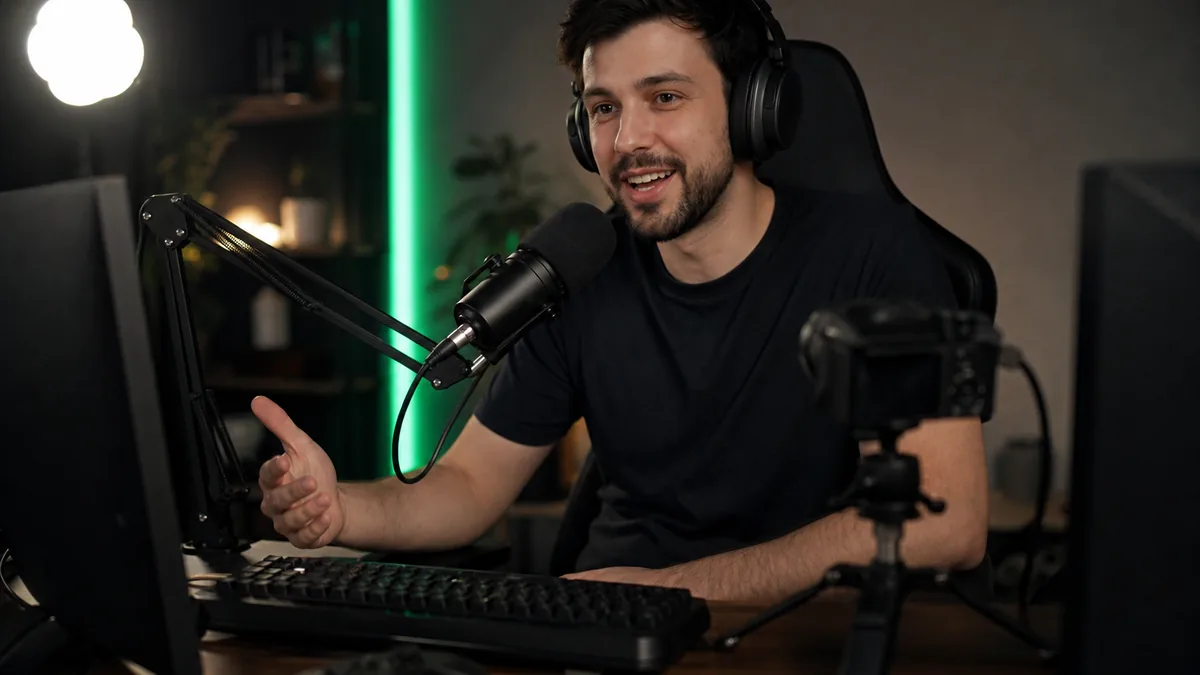
The Kick affiliate program is the entry tier of Kick monetization: once you have streamed 5 hours in total, Kick turns on subscriptions and KICKs tipping, and you keep 95% of both. A sub costs a flat $5 a month, so each one pays you $4.75. Per-stream pay sits a tier higher, in the KICK Partner Program, which asks for 75 average concurrent viewers. Below that bar, affiliate links on the gear and software you already use are the income that does not depend on how many people are watching.
Every Kick figure on this page was read on Kick's own help center on 6 October 2026, and we say so where a number only comes from creator reports. Kick changed the names of its tiers this year, and a lot of the pages ranking for this question still describe the old setup.
How do you become a Kick affiliate?
Stream for at least 5 hours in total. That is the only requirement Kick's own help article lists, and the hours add up across sessions, so it does not need to be one long stream. Once you cross it, an Enable Subscriptions button appears on your dashboard. Guides that list 75 followers, two factor authentication and two recent VODs for affiliate are describing an older checklist that Kick no longer publishes for this tier.
The stricter lists belong to the two tiers above it. This is what each one asks for and what it adds, as Kick publishes it today.
| Tier | What Kick asks for | What it unlocks | Source |
|---|---|---|---|
| Affiliate | 5 total hours streamed | Subscriptions and KICKs, 95% to you | OFFICIAL, Kick help center |
| Verified | In the last 30 days: 15 hours, 50 average concurrent viewers, 100 unique chatters, 10 active subs. Phone confirmed, 2FA on, 2 VODs in the last 7 days | A choice of weekly or monthly payouts | OFFICIAL, streamer.kick.com/partner |
| KICK Partner Program | In the last 30 days: 75 average concurrent viewers, 30 hours, 25 active subs, 250 unique chatters, 3 VODs, 250 followers, plus a completed About section and social links | Per-stream pay on top of subs, by application | OFFICIAL, Kick help center |
The Partner Program is the renamed Creator Incentive Program that streamers still search for as KCIP. Meeting the numbers does not guarantee a place, and Kick does not publish a dollar rate. It says the rate comes from your average audience over a rolling window, adjusted for language and region. Per-hour figures you see quoted on stats sites are estimates, not Kick numbers.
How much does a Kick affiliate make per sub?
$4.75 per $5 sub, every month the sub renews. Kick describes its 5% as a processing fee and applies the same 95/5 split to KICKs. The arithmetic is simple. Twenty active subs pay $95 a month. One hundred pay $475. That is a better split than most streaming platforms offer a small channel, and it is still a number that only moves when your audience does.
That is the gap affiliate commission fills. A sub pays for attention. A commission pays for a purchase, and the person buying your microphone or your editing software does not have to be watching live, does not have to be a sub and does not count toward any viewer average. A VOD that is six months old can still sell the capture card in it.
Does Kick allow affiliate links?
Yes. Kick's community guidelines allow affiliate links as long as you disclose them, either next to the link or out loud on stream. Paid brand partnerships go through Kick's Branded Content tool and need plain wording such as Paid Promotion, not Partner or Collab. Spam and malicious links are banned, and you are responsible for what sits in your title, pinned messages and panels. Kick has no native shop or product tagging, so your links live in About panels, chat commands and your stream overlay.
One rule is worth knowing before you take a sponsor. Kick allows gambling sponsorships only for operators licensed in the viewer's jurisdiction, and Slots and Casino streams are not monetized under the Partner Program. If your income plan leans on casino deals, read that rule first. Everything below assumes ordinary product and software programs.
What are the best affiliate programs for Kick streamers?
The same shelves that pay Twitch streamers pay on Kick, because the merchant does not care which platform sent the click. What changes is the order in which you should build them. Software sits on top because a share of it recurs, which is the closest thing to a sub that commission offers.
| Shelf | Typical commission | Once or recurring | Why it fits a Kick channel |
|---|---|---|---|
| Streaming, editing and clipping software | 20% to 50% | Often recurring | Chat asks what you use to clip and edit, and Kick pays for clips through Bounties |
| AI tools and SaaS subscriptions | 20% to 30% typical | Frequently recurring, often 12 months | Overlays, voice tools, thumbnail and caption tools |
| PC components and peripherals | 1% to 7% | Once | The setup tour is the most watched segment on many channels |
| Audio and camera gear | 1% to 7% | Once | Microphone and webcam questions never stop |
| Game keys and in-game currency | Low single digits | Once | Variety channels with a steady flow of new releases |
The rate bands are what programs commonly publish or creators commonly report, and individual programs vary, so read each one's terms before you join. The bottom rows convert well and pay thinly. A $130 microphone at 4% pays you $5.20, once. A $15 a month editing tool at 30% recurring pays $4.50 every month the viewer keeps it, which is roughly one more sub that never cancels. Our breakdown of tech affiliate programs lists the programs worth joining on the software shelf, and recurring affiliate programs narrows that to the ones that keep paying.
Kick's Bounties feature is worth pairing with the top row. Kick pays creators for clips through it, which means clipping and short-form tools are something you already use, can show on stream and can recommend honestly. If you make a channel trailer or a vertical promo for your shorts feed, an AI video generator for short 9:16 clips is the kind of tool viewers ask about after they see the result.
Kick affiliate or Twitch affiliate for a small streamer?
On subs alone, Kick pays a small channel more per sub, $4.75 of a $5 sub against roughly half of a Twitch Tier 1 sub at the default split. Kick also opens subs after 5 hours with no follower count, while the Twitch Affiliate Program requirements still ask for 25 followers, 4 broadcast days and 3 average viewers before Twitch releases a cash payout. Twitch has the larger audience to discover you. Many streamers run both, and that is where commission earns its place.
Kick's Partner Program pays 50% of the usual rate to streamers who multistream. Subs and per-stream pay are tied to one platform. A commission link is not: the same link in your Kick panel, your Twitch panel and your YouTube description pays the same rate wherever the viewer clicked it. If you multistream, affiliate income is the one line that does not shrink because of it. Our guide to affiliate programs for Twitch streamers covers the same shelves with Twitch's split.
When does Kick pay, and what about taxes?
Kick pays through Stripe to your bank account. Verified streamers choose weekly or monthly payouts, everyone else is paid monthly. In the US a standard bank transfer lands in 2 to 3 business days, and an instant debit card payout arrives in minutes, capped at $9,000. Kick does not publish a minimum payout of its own.
For tax, Stripe collects a W-9 from US streamers, and Kick issues a 1099-NEC once your payouts for the year reach $2,000 for tax year 2026, up from $600 for 2025. Affiliate programs report separately, each with its own form and threshold, so a streamer with subs on Kick and five affiliate programs can end the year with several forms or none. All of it is self-employment income either way.
Where to put your affiliate links on Kick so they earn
Kick gives you three surfaces: About panels, chat commands and whatever you show on screen. Panels hold image and text, and a wall of twenty gear links in panels is hard to read and impossible to measure. The pattern that works is one link in a panel and in a !gear command that opens a single page with your whole setup grouped into collections: stream PC, audio, camera and lighting, software. That page is the thing you update when you change a microphone, instead of editing panels on three platforms.
That page is what Favly is for. Your storefront at favly.com/@you holds every product you recommend, from any program, with the affiliate link attached and labeled #ad, which covers Kick's disclosure rule. On Favly Pro, which costs $288 a year, you can put your own domain in front of it and import each program's commission report, so you see which link earned rather than which link was clicked. That is the job of an affiliate link manager, and it matters most when the clicks come from three platforms at once.
Be honest about the threshold. If your only links are Amazon gear links, Amazon's own storefront is free and does the job. Favly is worth paying for once your setup page mixes retailers and software programs, which is exactly the point where a Kick streamer's income starts to grow without needing more concurrent viewers. If you are still deciding which model to build first, a creator monetization platform comparison lays out subs, tips, brand deals and commission on who takes a cut before you do.
Monetize your recommendations with Favly.
Claim your favly.com/@you storefront, add the AI tools, gear and software you recommend, and let Favly attach monetized affiliate links labeled #ad so you earn when fans buy.
Keep reading